A D A P T A B L E F O R M
Week Two Summary:
Tutorial Two:
Today I played around some more on processing playing with those attributes and incremental on my new form, and now that we were taught the saving code early in the lesson I could easily save the iterations to place on the blog to present and develop my ideas,
SCALE ROTATION LINE WIEGHT


In these experiments I started with a heavy line stroke weight being (8) and I just played around with offset attributes and the rotation tool. As you can see you can create some pretty cool shapes and forms! I created a code to rotate the squares as the four out squares grew in scale and rotation worked simultaneous to create a cool growth effect though the little series.
FORM TRANSLATE


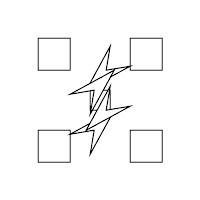


With this series I changed the line weight to (3) and I played with changing the forms of the four squares surrounding the initial square in the middle. As I click enter they skew and change form due to different attributes being added and adjusted as I click on the key pad. Its quite cool how the squares ended up turning into a form which looks like a arrow head or curser.
LINE


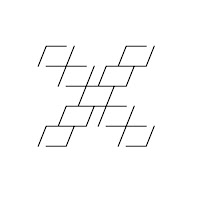


Here with this series I played with splitting up the lines through using the lines and variables on the code to change attributes. I think the last form made looks quite cool how they all lines up equally and just looks effective overall.
More Experimenting With Parameters:


Playing with scale and rotation,


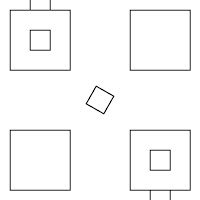
Playing with scale and rotation,


Playing with rotating,


Playing with rotation, scale and line weight.
Through my experimentation through the attributes I think I have been able to make an effective series for my final presentation.
*NOTE - Sorry about layout, blogger was being unethical and unpleasant.

No comments:
Post a Comment